Form Input
Form with entry fields and input validation.
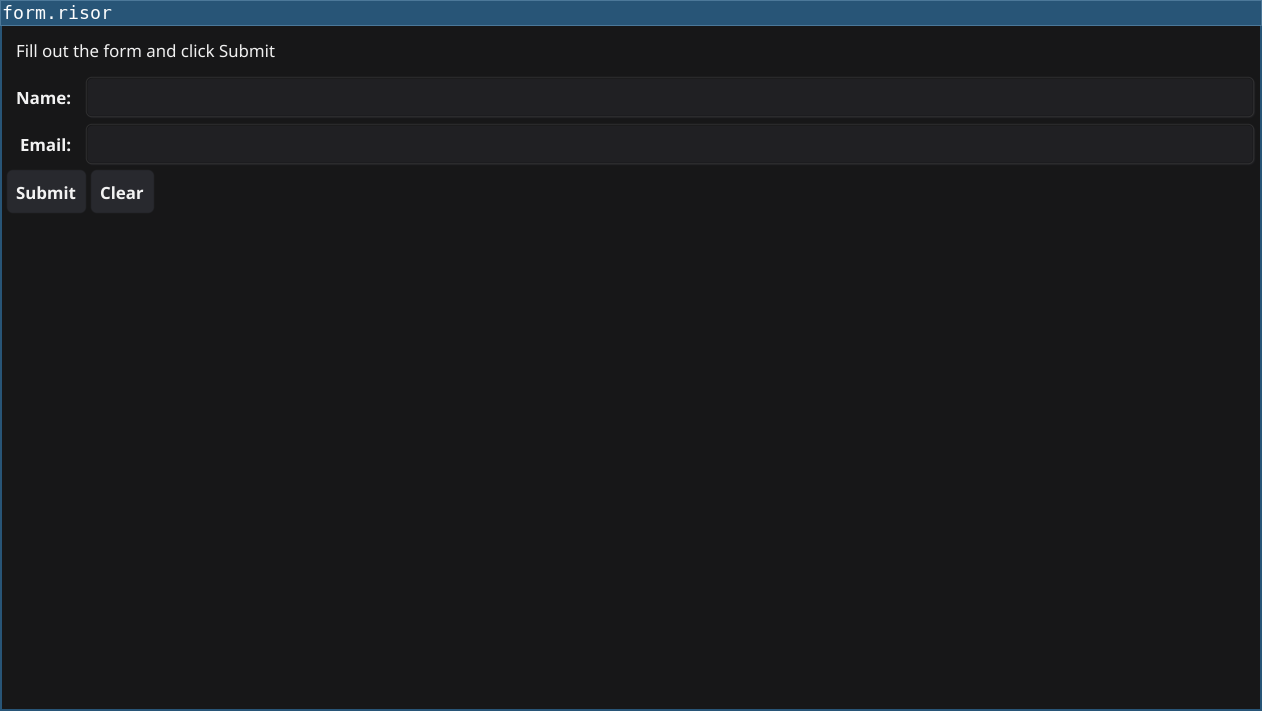
Code
require(["v0.4", "@gui"])

let nameEntry = widget.NewEntry()
let emailEntry = widget.NewEntry()

let titleLabel = widget.NewLabel("Fill out the form and click Submit")
let resultLabel = widget.NewLabel("")

let submitButton = widget.NewButton("Submit", () => {
    let name = nameEntry.Text
    let email = emailEntry.Text

    // Simple validation
    if (name == "") {
        resultLabel.Text = "Error: Name is required"
        return
    }

    if (email == "") {
        resultLabel.Text = "Error: Email is required"
        return
    }

    if (!strings.contains(email, "@")) {
        resultLabel.Text = "Error: Email must contain @"
        return
    }

    // If validation passes
    resultLabel.Text = sprintf("Success! Name: %s, Email: %s", name, email)
})

let clearButton = widget.NewButton("Clear", () => {
    nameEntry.Text = ""
    emailEntry.Text = ""
    resultLabel.Text = "Fill out the form and click Submit"
})

// Create form layout
let items = [
    widget.NewFormItem("Name:", nameEntry),
    widget.NewFormItem("Email:", emailEntry),
]

let content = container.NewVBox([
    titleLabel,
    widget.NewForm(items),
    container.NewHBox([submitButton, clearButton]),
    resultLabel,
])

window.SetContent(content)
Explanation
- Entry Widgets - Text input fields with
widget.NewEntry() - Form Layout - Organized label/field pairs with
widget.NewForm() - Validation - Check input before processing
- Error Handling - Display error messages for invalid input
- Early Returns - Use
returnto exit callback on validation failure
Key Concepts
- FormItem: Pairs a label with an input widget
- Text Property: Read user input with
entry.Text - Validation: Always validate user input before processing
- Mixed Layouts: Combine VBox and HBox for complex layouts
Try It
fynerisor form-input.risor