SQL Database Integration
Full CRUD application with SQL database.
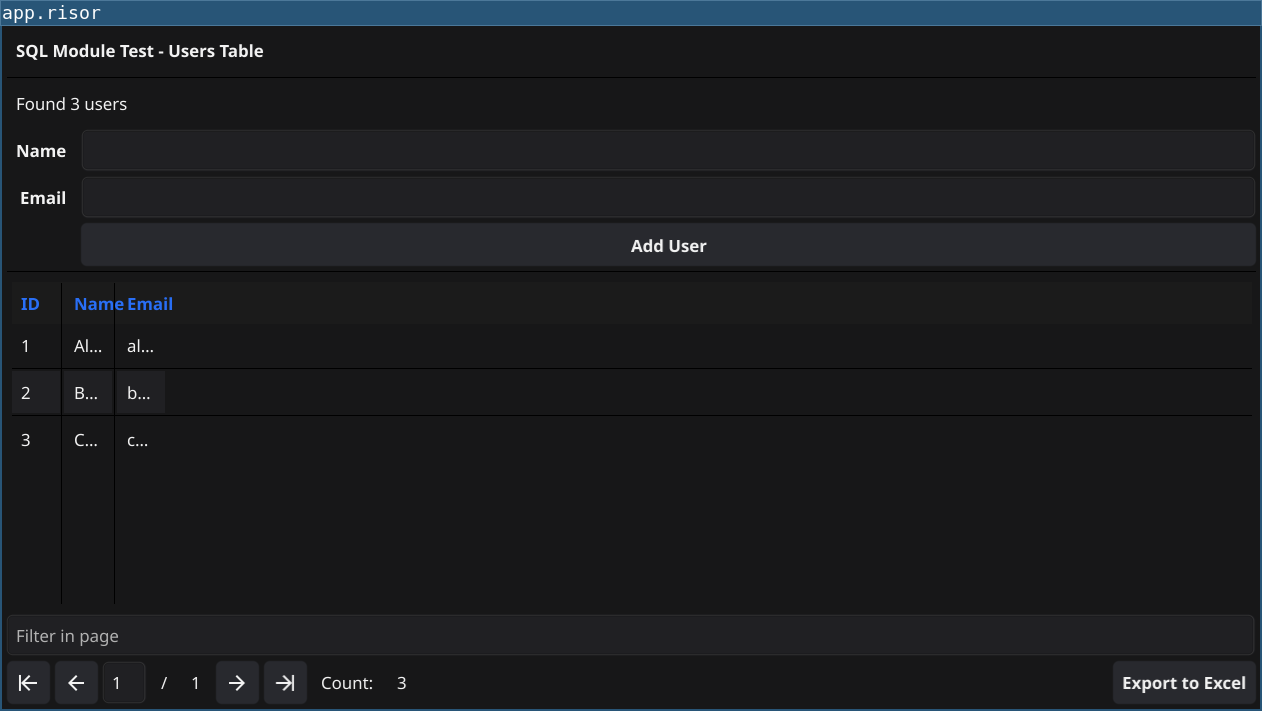
Code
table := widget.NewTable("chemicals", 5)

conn := sql.connect("sqlserver://user:pass@server:1433/database", {"stream": true})

table.Columns(func() {
    return ["ID", "Note", "CID", "SMILES", "InChI", "InChIKey", "Synonyms"]
})

table.RowCount(func() {
    rows := conn.query("SELECT COUNT(id) as count FROM Chemical")
    for _, row := range rows {
        return row["count"]
    }
    return 0
})

table.Data(func(offset, limit) {
    query := "SELECT * FROM Chemical ORDER BY ID OFFSET " +
        string(offset) + " ROWS FETCH NEXT " + string(limit) + " ROWS ONLY;"

    rows := conn.query(query)
    data := []
    for _, row := range rows {
        entry := [
            string(row["ID"]),
            row["note"],
            row["CID"],
            row["SMILES"],
            row["InChI"],
            row["InChIKey"],
            row["Synonym"],
        ]
        data.append(entry)
    }

    return data
})

table.Refresh()

// Add new chemical form
func sqlValues(fields) {
    cleanStrings := []
    for _, x := range fields {
        clean := string(x).replace_all("'", "''")
        cleanStrings.append(clean)
    }

    valueString := cleanStrings | strings.join("','")
    return "'" + valueString + "'"
}

cid := widget.NewEntry()
txtNote := widget.NewEntry()

btnAdd := widget.NewButton("Add", func() {
    reply := fetch("http://api.example.com/cid/" + cid.Text).json()
    if reply.Success {
        chem := reply.Entry

        values := sqlValues([
            chem["CID"],
            chem["SMILES"],
            chem["InChI"],
            chem["InChIKey"],
            chem["Synonyms"] | strings.join("; "),
            txtNote.Text,
        ])

        sql := "INSERT INTO Chemical (CID, SMILES, InChI, InChIKey, Synonym, note) " +
            "VALUES (" + values + ")"

        conn.exec(sql)
        table.Refresh()
    } else {
        window.SetStatus("Something went wrong: " + reply.ErrorMsg)
    }
})

form := widget.NewForm(
    widget.NewFormItem("CID", cid),
    widget.NewFormItem("Note", txtNote),
    widget.NewFormItem("", btnAdd),
)

border := container.NewBorder(form, nil, nil, nil, table)
window.SetContent(border)
Key Concepts
- SQL connection:
sql.connect()with connection string - Query data:
conn.query()returns array of rows - Execute statements:
conn.exec()for INSERT/UPDATE/DELETE - SQL injection prevention: Custom
sqlValues()function escapes quotes - Form for data entry: Combine form with table
- Table refresh: Update table after insert
Security Note
This example uses string concatenation for SQL. In production, consider using prepared statements or parameterized queries if supported by your database driver.
Use Cases
- Database CRUD applications
- Data entry forms
- Database viewers
- Admin tools