Table Display
Demonstrates the table widget with paginated data, custom data callbacks, and row click handling.
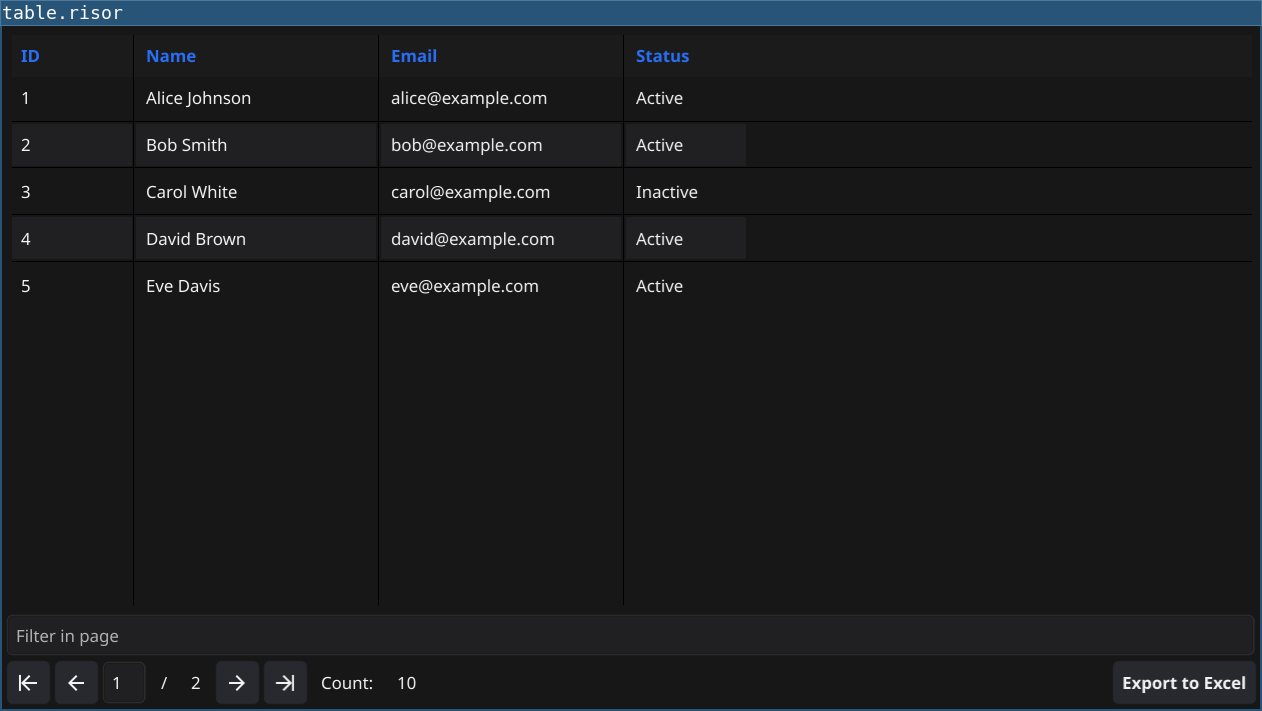
Features
- Creates a table widget with 5 rows per page
- Displays a directory of people with ID, Name, Email, and Status columns
- Implements pagination through data callbacks
- Handles row click events
- Shows how to pass custom data functions from Go to Risor
Code
// Table display example
// Demonstrates table widget with paginated data

require("v0.6")

// Sample data
let sampleData = [
    ["1", "Alice Johnson", "alice@example.com", "Active"],
    ["2", "Bob Smith", "bob@example.com", "Active"],
    ["3", "Carol White", "carol@example.com", "Inactive"],
    ["4", "David Brown", "david@example.com", "Active"],
    ["5", "Eve Davis", "eve@example.com", "Active"],
    ["6", "Frank Miller", "frank@example.com", "Inactive"],
    ["7", "Grace Wilson", "grace@example.com", "Active"],
    ["8", "Henry Moore", "henry@example.com", "Active"],
    ["9", "Iris Taylor", "iris@example.com", "Active"],
    ["10", "Jack Anderson", "jack@example.com", "Inactive"]
]

let table = widget.NewTable("People Directory", 5)

// Define columns
table.Columns(() => {
    return ["ID", "Name", "Email", "Status"]
})

table.SetColumnWidth(0, 100)
table.SetColumnWidth(1, 200)
table.SetColumnWidth(2, 200)
table.SetColumnWidth(3, 100)

// Provide total row count
table.RowCount(() => {
    return len(sampleData)
})

// Provide data for current page
table.Data((offset, limit) => {
    let end = offset + limit
    if (end > len(sampleData)) {
        end = len(sampleData)
    }
    return sampleData[offset:end]
})

// Handle row clicks
table.SetOnClick((row, col) => {
    print(`Clicked row ${row}, column ${col}`)
})

table.Refresh()

window.SetContent(table)
Running
cd examples/04-table-display
go run main.go
Or with the fynerisor CLI:
fynerisor script.risor