List Widget
This example demonstrates the List widget with virtualized rendering for displaying scrollable lists efficiently.
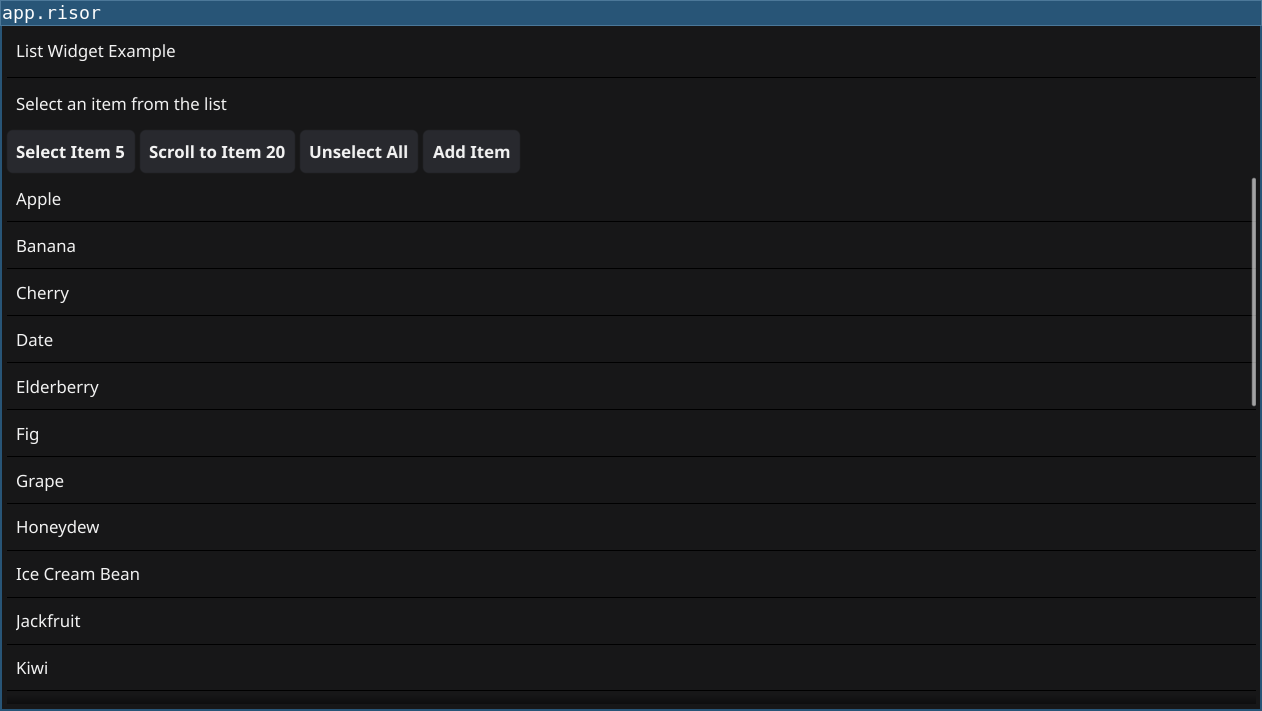
Features
- Virtualized Rendering: List only renders visible items, efficient for large datasets
- Length Callback: Dynamic item count
- CreateItem Callback: Template widget creation
- UpdateItem Callback: Item-specific updates
- Selection: OnSelected callback for item clicks
Code
// List Widget Example
// Demonstrates the List widget with virtualized rendering

// Require fynerisor v0.2+ for List widget
require("v0.2")

// Sample data - list of items (using mutable approach)
let items = [
    "Apple",
    "Banana",
    "Cherry",
    "Date",
    "Elderberry",
    "Fig",
    "Grape",
    "Honeydew",
    "Ice Cream Bean",
    "Jackfruit",
    "Kiwi",
    "Lemon",
    "Mango",
    "Nectarine",
    "Orange",
    "Papaya",
    "Quince",
    "Raspberry",
    "Strawberry",
    "Tangerine",
    "Ugli Fruit",
    "Vanilla Bean",
    "Watermelon",
    "Xigua",
    "Yellow Passion Fruit",
    "Zucchini"
]

let itemCount = len(items)

// Create status label to show selections
let statusLabel = widget.NewLabel("Select an item from the list")

// Create the list widget
let fruitList = widget.NewList()

// Set the length callback - returns total number of items
fruitList.Length(() => {
    return itemCount
})

// Set the create item callback - creates template widget for each row
fruitList.CreateItem(() => {
    return widget.NewLabel("")
})

// Set the update item callback - updates a specific row
fruitList.UpdateItem((id, item) => {
    // id is the item index, item is the Label widget
    item.Text = items[id]
})

// Set the selection callback
fruitList.OnSelected((id) => {
    statusLabel.Text = `Selected: ${items[id]} (index ${id})`
    print(`Selected item ${id}: ${items[id]}`)
})

// Create buttons for list manipulation
let selectBtn = widget.NewButton("Select Item 5", () => {
    fruitList.Select(5)
})

let scrollBtn = widget.NewButton("Scroll to Item 20", () => {
    fruitList.ScrollTo(20)
})

let unselectBtn = widget.NewButton("Unselect All", () => {
    fruitList.UnselectAll()
    statusLabel.Text = "Select an item from the list"
})

let addBtn = widget.NewButton("Add Item", () => {
    items = items + [`New Item ${itemCount}`]
    itemCount = itemCount + 1
    fruitList.Refresh()
})

// Layout
let title = widget.NewLabel("List Widget Example")
let buttonRow = container.NewHBox(selectBtn, scrollBtn, unselectBtn, addBtn)

let layout = container.NewBorder(
    container.NewVBox(title, widget.NewSeparator(), statusLabel, buttonRow),
    nil,
    nil,
    nil,
    fruitList
)

window.SetContent(layout)
Running
cd examples/11-list
go run main.go
Or with the fynerisor CLI:
fynerisor script.risor