Button Importance
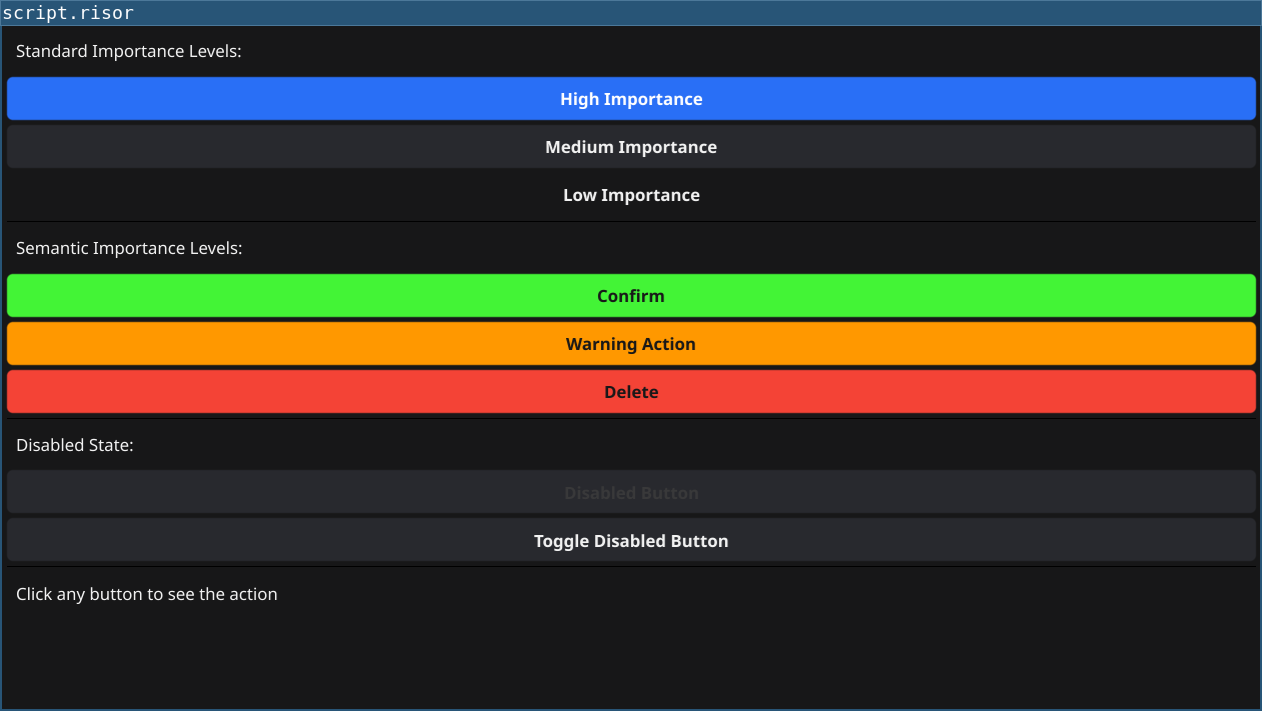
Demonstrates button importance levels and styling for visual hierarchy and semantic meaning.
Features
- Standard Importance: High, Medium, Low for visual hierarchy
- Semantic Importance: Success (green), Warning (yellow), Danger (red) for meaning
- Disabled State: Enable/disable buttons programmatically
- Constants: Use
constants.*for importance values
Code
require(["v0.2", "@gui"])

let statusLabel = widget.NewLabel("Click any button to see the action")

// High importance - stands out
let highBtn = widget.NewButton("High Importance", () => {
	statusLabel.SetText("High importance button clicked")
})
highBtn.Importance = constants.ImportanceHigh

// Medium importance - default
let mediumBtn = widget.NewButton("Medium Importance", () => {
	statusLabel.SetText("Medium importance button clicked")
})
mediumBtn.Importance = constants.ImportanceMedium

// Low importance - subtle
let lowBtn = widget.NewButton("Low Importance", () => {
	statusLabel.SetText("Low importance button clicked")
})
lowBtn.Importance = constants.ImportanceLow

// Danger - red/destructive
let dangerBtn = widget.NewButton("Delete", () => {
	statusLabel.SetText("Danger button clicked! (destructive action)")
})
dangerBtn.Importance = constants.DangerImportance

// Warning - yellow/caution
let warningBtn = widget.NewButton("Warning Action", () => {
	statusLabel.SetText("Warning button clicked! (proceed with caution)")
})
warningBtn.Importance = constants.WarningImportance

// Success - green/positive
let successBtn = widget.NewButton("Confirm", () => {
	statusLabel.SetText("Success button clicked! (positive action)")
})
successBtn.Importance = constants.SuccessImportance

// Disabled button
let disabledBtn = widget.NewButton("Disabled Button", () => {
	statusLabel.SetText("This shouldn't appear")
})
disabledBtn.Disabled = true

// Button to toggle disabled state
let toggleBtn = widget.NewButton("Toggle Disabled Button", () => {
	disabledBtn.Disabled = !disabledBtn.Disabled
	if (disabledBtn.Disabled) {
		statusLabel.SetText("Button disabled")
	} else {
		statusLabel.SetText("Button enabled")
	}
})

let layout = container.NewVBox(
	widget.NewLabel("Standard Importance Levels:"),
	highBtn,
	mediumBtn,
	lowBtn,
	widget.NewSeparator(),
	widget.NewLabel("Semantic Importance Levels:"),
	successBtn,
	warningBtn,
	dangerBtn,
	widget.NewSeparator(),
	widget.NewLabel("Disabled State:"),
	disabledBtn,
	toggleBtn,
	widget.NewSeparator(),
	statusLabel
)

window.SetContent(layout)
Running
cd examples/20-button-importance
go run main.go
Or with the fynerisor CLI:
fynerisor script.risor