Text Grid
Demonstrates the TextGrid widget - a monospace text grid for displaying code and tabular data.
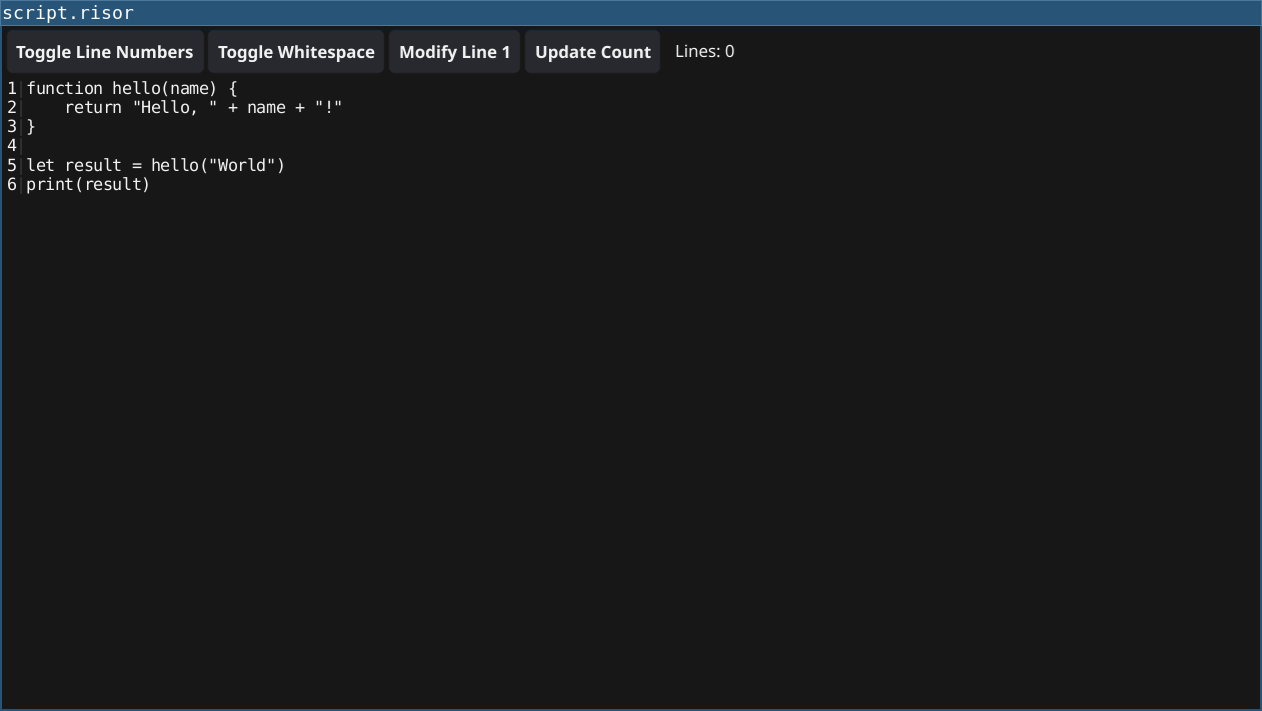
Features
- Monospace Display: Fixed-width font for code/data alignment
- Line Numbers: Optional line number display
- Whitespace Indicators: Show tabs and spaces
- Row Operations: Get/set individual rows
- Configurable Tab Width: Control tab spacing
Code
require(["v0.2", "@gui"])

// Create text grid for displaying code
let grid = widget.NewTextGrid()

// Configure display options
grid.ShowLineNumbers = true
grid.ShowWhitespace = false
grid.TabWidth = 4

// Set initial code content
let code = `function hello(name) {
	return "Hello, " + name + "!"
}

let result = hello("World")
print(result)`

grid.SetText(code)

// Buttons to toggle options
let lineNumBtn = widget.NewButton("Toggle Line Numbers", () => {
	grid.ShowLineNumbers = !grid.ShowLineNumbers
})

let whitespaceBtn = widget.NewButton("Toggle Whitespace", () => {
	grid.ShowWhitespace = !grid.ShowWhitespace
})

// Button to modify a row
let modifyBtn = widget.NewButton("Modify Line 1", () => {
	grid.SetRow(0, "// Modified function definition")
})

// Button to show row count
let countLabel = widget.NewLabel(`Lines: ${grid.RowCount()}`)
let countBtn = widget.NewButton("Update Count", () => {
	let count = grid.RowCount()
	countLabel.SetText(sprintf("Lines: %d", count))
})

let toolbar = container.NewHBox(
	lineNumBtn,
	whitespaceBtn,
	modifyBtn,
	countBtn,
	countLabel
)

let layout = container.NewBorder(
	toolbar,  // top
	nil,      // bottom
	nil,      // left
	nil,      // right
	container.NewScroll(grid)  // center
)

window.SetContent(layout)
Running
cd examples/18-textgrid
go run main.go
Or with the fynerisor CLI:
fynerisor script.risor