Data Binding
Demonstrates Fyne’s data binding system which allows widgets to automatically sync with data sources.
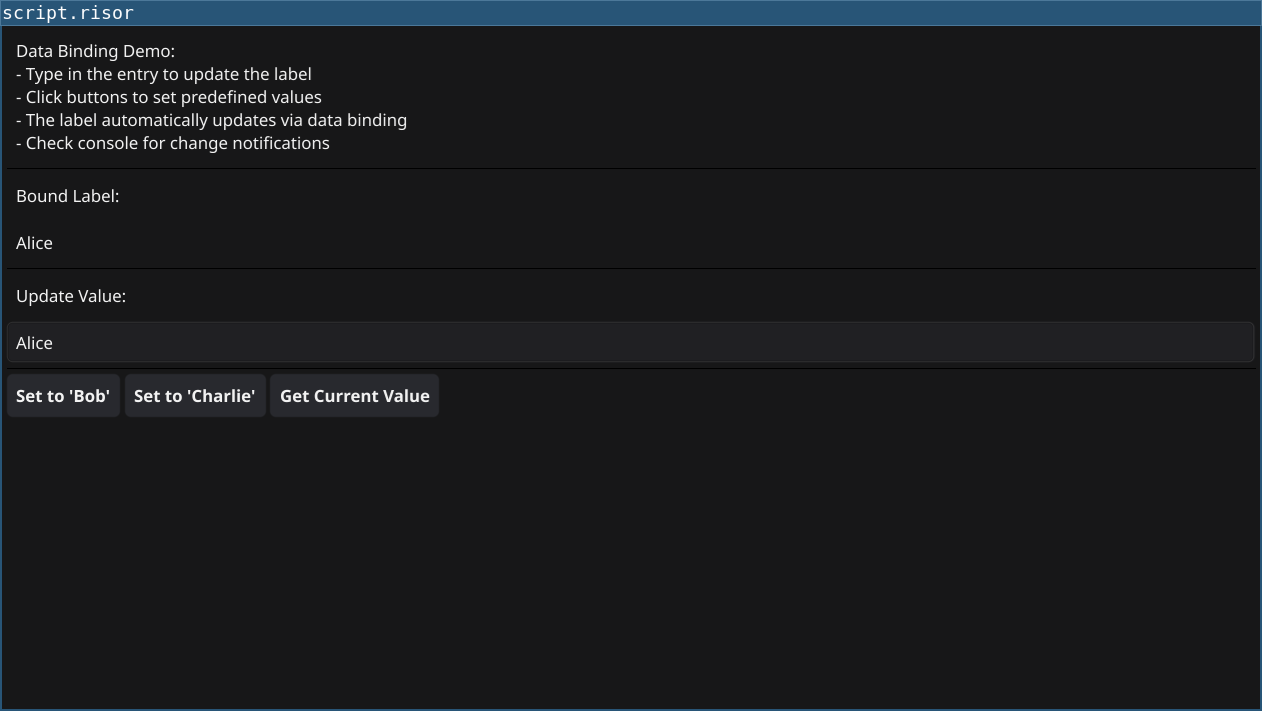
Features
- Automatic Updates: Widgets bound to data automatically update when data changes
- Two-Way Binding: Entry changes update the binding, which updates the label
- Listeners: Get notified when bound data changes
- Programmatic Updates: Change data from code and see UI update
Code
require(["v0.3", "@gui"])

// Create a data binding for a string value
let nameData = binding.NewString("Alice")

// Create a label bound to the data
let nameLabel = widget.NewLabelWithData(nameData)

// Create entry to update the binding
let nameEntry = widget.NewEntry()
nameEntry.PlaceHolder = "Enter a name..."

// Get initial value from binding
let currentName = nameData.Get()
nameEntry.SetText(currentName)

// Update binding when entry changes
nameEntry.OnChanged((text) => {
    nameData.Set(text)
})

// Add a listener to the binding to see when it changes
nameData.AddListener(() => {
    let newValue = nameData.Get()
    print(sprintf("Data changed to: %s", newValue))
})

// Buttons to demonstrate programmatic updates
let btn1 = widget.NewButton("Set to 'Bob'", () => {
    nameData.Set("Bob")
    nameEntry.SetText("Bob")
})

let btn2 = widget.NewButton("Set to 'Charlie'", () => {
    nameData.Set("Charlie")
    nameEntry.SetText("Charlie")
})

let btn3 = widget.NewButton("Get Current Value", () => {
    let current = nameData.Get()
    print(sprintf("Current value: %s", current))
})

// Info section
let infoLabel = widget.NewLabel(`Data Binding Demo:
- Type in the entry to update the label
- Click buttons to set predefined values
- The label automatically updates via data binding
- Check console for change notifications`)
infoLabel.Wrapping = constants.TextWrapWord

let layout = container.NewVBox(
    infoLabel,
    widget.NewSeparator(),
    widget.NewLabel("Bound Label:"),
    nameLabel,
    widget.NewSeparator(),
    widget.NewLabel("Update Value:"),
    nameEntry,
    widget.NewSeparator(),
    container.NewHBox(btn1, btn2, btn3)
)

window.SetContent(layout)
Running
cd examples/25-data-binding
go run main.go
Or with the fynerisor CLI:
fynerisor script.risor