Calendar
This example demonstrates the Calendar widget with the time module for date selection.
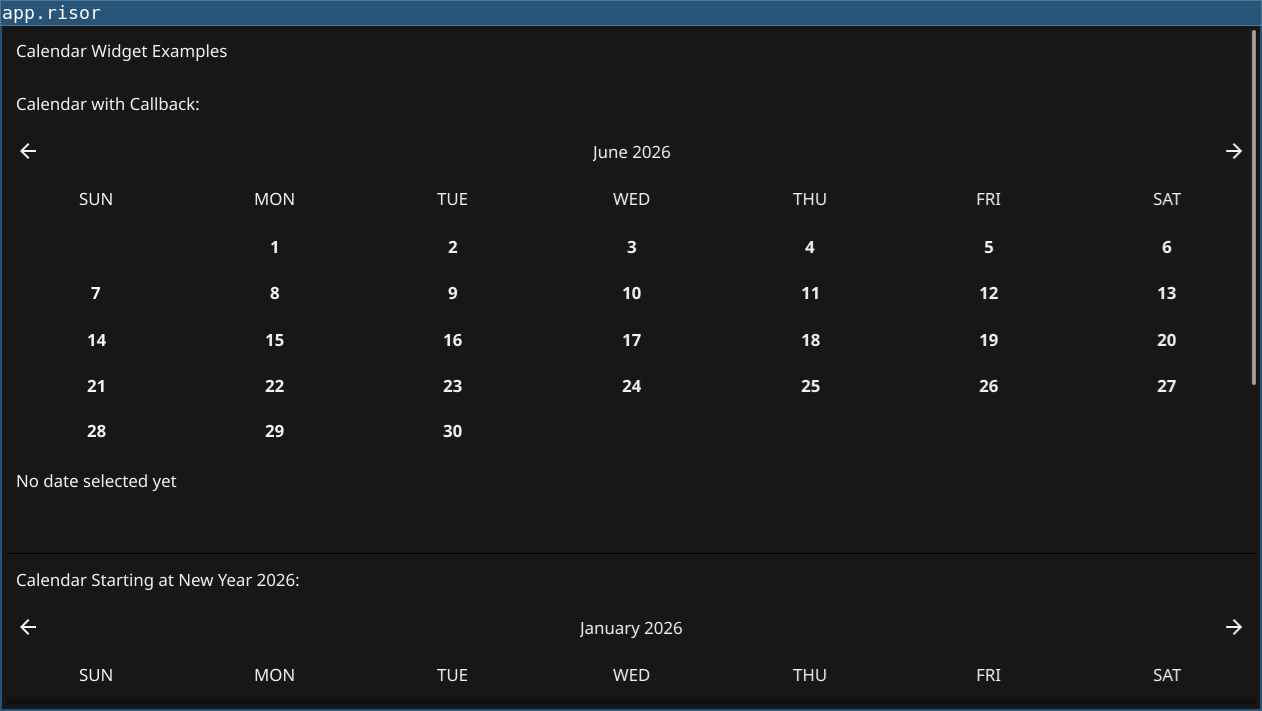
Features
- Calendar with Callback: Shows how to handle date selection events
- Time Module: Using
time.now(),time.date(), andtime.parse() - Date Properties: Accessing
year,month,dayfrom TimeObject - Date Formatting: Using the
format()method with Go time layouts - Multiple Calendars: Creating calendars with different start dates
Code
// Calendar Widget Example
// Demonstrates the Calendar widget with date selection callbacks

// Require fynerisor v0.2+ for Calendar widget and time module
require("v0.2")

// Create a label to show the selected date
let selectedLabel = widget.NewLabel("No date selected yet")

// Create a label to show date properties
let propertiesLabel = widget.NewLabel("")

// Create calendar with current date and callback
let calendar = widget.NewCalendar(time.now(), (date) => {
    // Update the selected date label
    selectedLabel.Text = `Selected: ${date.year}-${date.month}-${date.day}`

    // Show individual properties
    propertiesLabel.Text = `Year: ${date.year}, Month: ${date.month}, Day: ${date.day}`

    // You can also format the date
    let formatted = date.format("Monday, January 2, 2006")
    print(`Date selected: ${formatted}`)
})

// Create a calendar starting at a specific date (New Year 2026)
let specificDate = time.date(2026, 1, 1)
let calendar2 = widget.NewCalendar(specificDate, (date) => {
    print(`Calendar 2 selected: ${date.year}-${date.month}-${date.day}`)
})

// Create calendar without callback
let calendar3 = widget.NewCalendar(time.now())

// Layout with title and multiple calendars
let title = widget.NewLabel("Calendar Widget Examples")

let separator1 = widget.NewSeparator()
let separator2 = widget.NewSeparator()

let section1 = container.NewVBox(
    widget.NewLabel("Calendar with Callback:"),
    calendar,
    selectedLabel,
    propertiesLabel
)

let section2 = container.NewVBox(
    widget.NewLabel("Calendar Starting at New Year 2026:"),
    calendar2
)

let section3 = container.NewVBox(
    widget.NewLabel("Simple Calendar (no callback):"),
    calendar3
)

let layout = container.NewVBox(
    title,
    separator1,
    section1,
    separator2,
    section2,
    separator1,
    section3
)

// Set window content
window.SetContent(container.NewScroll(layout))
Running
cd examples/10-calendar
go run main.go
Or with the fynerisor CLI:
fynerisor script.risor