App Versioning
Demonstrates how embedding applications can set their own version for script compatibility checks.
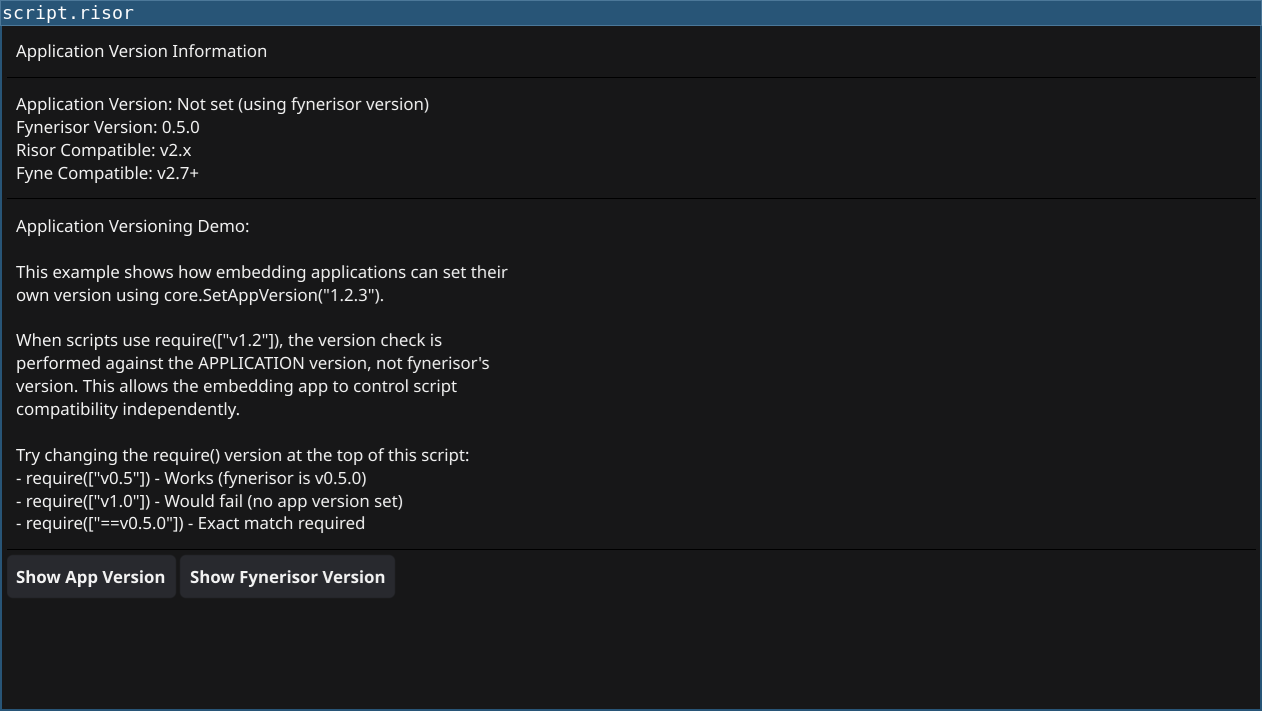
Code
// This script demonstrates application versioning
// When no app version is set, it checks against fynerisor version
require(["v0.6", "@gui"])

// Get version information
let appVer = app.version
if (appVer == "") {
    appVer = "Not set (using fynerisor version)"
}
let versionInfo = sprintf(`Application Version: %s
Fynerisor Version: %s
Risor Compatible: %s
Fyne Compatible: %s`,
    appVer,
    "0.5.0",
    "v2.x",
    "v2.7+"
)

let versionLabel = widget.NewLabel(versionInfo)
versionLabel.Wrapping = constants.TextWrapWord

// Info section
let infoLabel = widget.NewLabel(`Application Versioning Demo:

This example shows how embedding applications can set their
own version using core.SetAppVersion("1.2.3").

When scripts use require(["v1.2"]), the version check is
performed against the APPLICATION version, not fynerisor's
version. This allows the embedding app to control script
compatibility independently.

Try changing the require() version at the top of this script:
- require(["v0.6"]) - Works (fynerisor is v0.5.0)
- require(["v1.0"]) - Would fail (no app version set)
- require(["==v0.5.0"]) - Exact match required`)
infoLabel.Wrapping = constants.TextWrapWord

// Demonstration buttons
let btn1 = widget.NewButton("Show App Version", () => {
    print(sprintf("Application version: %s", app.version))
})

let btn2 = widget.NewButton("Show Fynerisor Version", () => {
    print("Fynerisor version: 0.5.0")
})

let layout = container.NewVBox(
    widget.NewLabel("Application Version Information"),
    widget.NewSeparator(),
    versionLabel,
    widget.NewSeparator(),
    infoLabel,
    widget.NewSeparator(),
    container.NewHBox(btn1, btn2)
)

window.SetContent(container.NewScroll(layout))
Running
cd examples/27-app-versioning
go run main.go
Or with the fynerisor CLI:
fynerisor script.risor