Data Binding Types
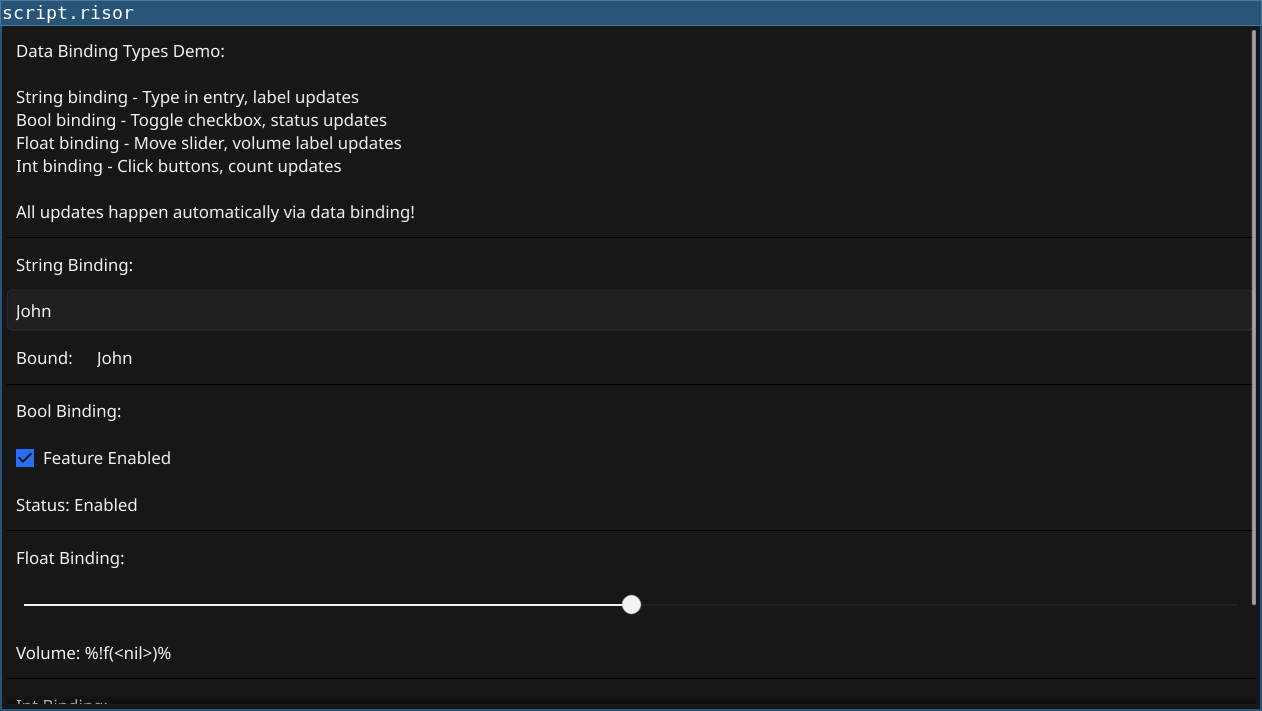
Comprehensive demonstration of all data binding types supported by Fyne.
Features
binding.NewString()orbinding.NewString("initial")- Used with: Label, Entry
- Demo: Type in entry → label updates automatically
Code
require(["v0.6", "@gui"])

// String binding
let nameData = binding.NewString("John")
let nameLabel = widget.NewLabelWithData(nameData)
let nameEntry = widget.NewEntry()
nameEntry.PlaceHolder = "Enter name..."
nameEntry.SetText(nameData.Get())
nameEntry.OnChanged((text) => {
    nameData.Set(text)
})

// Bool binding
let enabledData = binding.NewBool(true)
let enabledCheck = widget.NewCheckWithData("Feature Enabled", enabledData)
let statusLabel = widget.NewLabel("Status: Enabled")

enabledData.AddListener(() => {
    let enabled = enabledData.Get()
    if (enabled) {
        statusLabel.SetText("Status: Enabled")
    } else {
        statusLabel.SetText("Status: Disabled")
    }
})

// Float binding
let volumeData = binding.NewFloat(50.0)
let volumeSlider = widget.NewSliderWithData(0.0, 100.0, volumeData)
let volumeLabel = widget.NewLabel(sprintf("Volume: %.0f%%", volumeData.Get()))

volumeData.AddListener(() => {
    let vol = volumeData.Get()
    volumeLabel.SetText(sprintf("Volume: %.0f%%", vol))
})

// Int binding
let countData = binding.NewInt(0)
let countLabel = widget.NewLabel(sprintf("Count: %d", countData.Get()))

let incrementBtn = widget.NewButton("Increment", () => {
    let current = countData.Get()
    countData.Set(current + 1)
})

let decrementBtn = widget.NewButton("Decrement", () => {
    let current = countData.Get()
    countData.Set(current - 1)
})

let resetBtn = widget.NewButton("Reset", () => {
    countData.Set(0)
})

countData.AddListener(() => {
    let count = countData.Get()
    countLabel.SetText(sprintf("Count: %d", count))
})

// Info section
let infoLabel = widget.NewLabel(`Data Binding Types Demo:

String binding - Type in entry, label updates
Bool binding - Toggle checkbox, status updates
Float binding - Move slider, volume label updates
Int binding - Click buttons, count updates

All updates happen automatically via data binding!`)
infoLabel.Wrapping = constants.TextWrapWord

let layout = container.NewVBox(
    infoLabel,
    widget.NewSeparator(),

    widget.NewLabel("String Binding:"),
    nameEntry,
    container.NewHBox(widget.NewLabel("Bound:"), nameLabel),
    widget.NewSeparator(),

    widget.NewLabel("Bool Binding:"),
    enabledCheck,
    statusLabel,
    widget.NewSeparator(),

    widget.NewLabel("Float Binding:"),
    volumeSlider,
    volumeLabel,
    widget.NewSeparator(),

    widget.NewLabel("Int Binding:"),
    container.NewHBox(incrementBtn, decrementBtn, resetBtn),
    countLabel
)

window.SetContent(container.NewScroll(layout))
Running
cd examples/26-data-binding-types
go run main.go
Or with the fynerisor CLI:
fynerisor script.risor