Rich Text
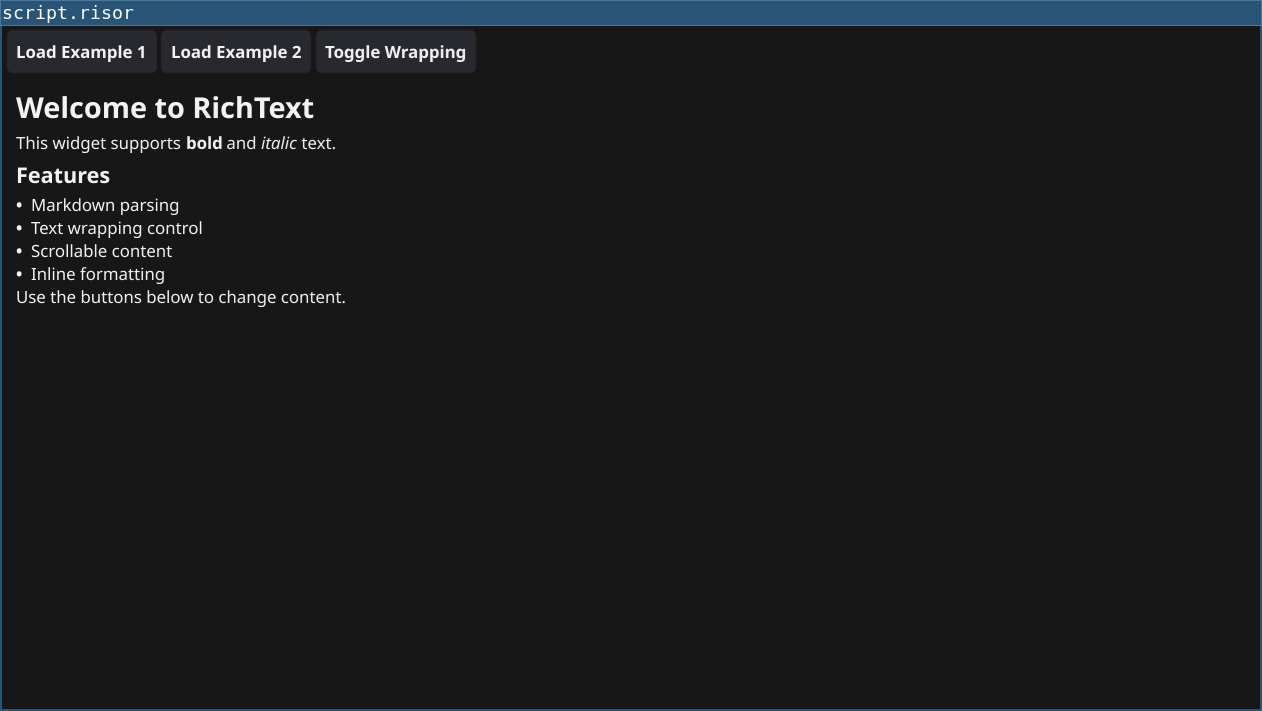
Demonstrates the RichText widget - formatted text with markdown support.
Features
- Markdown Parsing: Full markdown syntax support
- Text Formatting: Bold, italic, headers, lists, links
- Text Wrapping: Control how text wraps
- Scrollable: Large content automatically scrollable
- Dynamic Content: Update text at runtime
Code
require(["v0.2", "@gui"])

// Create RichText with markdown
// Using string concatenation to avoid backtick issues
let markdown = "# Welcome to RichText\n\n"
markdown = markdown + "This widget supports **bold** and *italic* text.\n\n"
markdown = markdown + "## Features\n\n"
markdown = markdown + "- Markdown parsing\n"
markdown = markdown + "- Text wrapping control\n"
markdown = markdown + "- Scrollable content\n"
markdown = markdown + "- Inline formatting\n\n"
markdown = markdown + "Use the buttons below to change content."

let richText = widget.NewRichText(markdown)

// Wrapping constants: 0=WrapOff, 1=WrapBreak, 2=WrapWord
richText.Wrapping = 2  // WrapWord

// Buttons to change content
let example1Btn = widget.NewButton("Load Example 1", () => {
	let text = "# Example 1: Feature List\n\n"
	text = text + "## Key Features\n\n"
	text = text + "1. **Performance** - Fast rendering\n"
	text = text + "2. **Flexibility** - Multiple text styles\n"
	text = text + "3. **Simplicity** - Easy to use API\n\n"
	text = text + "Perfect for documentation and help text!"
	richText.ParseMarkdown(text)
})

let example2Btn = widget.NewButton("Load Example 2", () => {
	let text = "# Example 2: Quick Guide\n\n"
	text = text + "**Getting Started** is easy:\n\n"
	text = text + "- First, create your content\n"
	text = text + "- Then, format it with *markdown*\n"
	text = text + "- Finally, display it with RichText\n"
	richText.ParseMarkdown(text)
})

// Toggle wrapping
let wrapBtn = widget.NewButton("Toggle Wrapping", () => {
	if (richText.Wrapping == 2) {
		richText.Wrapping = 0  // WrapOff
	} else {
		richText.Wrapping = 2  // WrapWord
	}
})

let toolbar = container.NewHBox(example1Btn, example2Btn, wrapBtn)

let layout = container.NewBorder(
	toolbar,                      // top
	nil,                         // bottom
	nil,                         // left
	nil,                         // right
	container.NewScroll(richText) // center
)

window.SetContent(layout)
Running
cd examples/19-richtext
go run main.go
Or with the fynerisor CLI:
fynerisor script.risor